Stop the Scams: Practical Tips to Block Unwanted Text Messages
Spam texts have overtaken spam calls as the most common form of unwanted contact in the United States — with billions of fraudulent messages sent every single month. Some of them are obvious: a 'package delivery' from a carrier you never use, a prize you never entered to win. Others are disturbingly convincing. The good news is that blocking them is not complicated once you know where to look and what to do first.

What You Need Before You Start Blocking Spam Texts
Know What You're Actually Dealing With
Not all unwanted texts are the same, and the method you use to stop them depends on the type. Spam texts are unsolicited commercial messages — annoying, but often legal. Smishing texts are phishing attempts disguised as legitimate messages, designed to steal credentials or install malware. Robotexts are mass-sent automated messages, frequently from spoofed numbers that change with every send.
The spoofing part matters more than most people realize. When a scammer spoofs a number, blocking that specific number does almost nothing — the next message comes from a completely different one. This is why 'block and move on' is not a complete strategy on its own.
Gather Your Tools
Before diving into settings, confirm which operating system your phone runs (iOS or Android), which carrier you use, and whether you have any third-party messaging apps installed. Some blocking features live inside the phone's native settings. Others are carrier-level tools that work before the message even reaches your device. Knowing which layer you're working with saves a lot of frustration.
Step-by-Step Instructions to Block Unwanted Text Messages
Step 1 — Enable Your Phone's Built-In Spam Filter
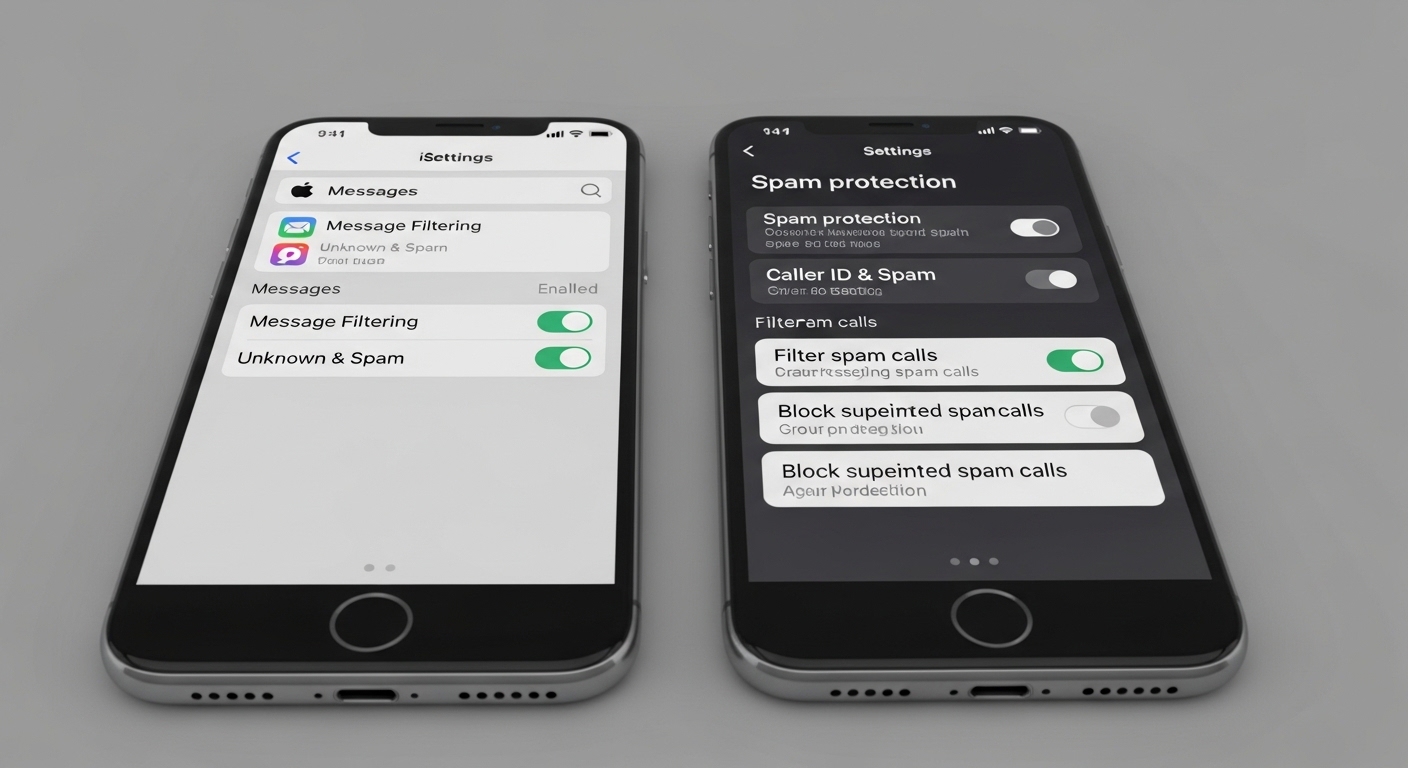
Both major platforms have native filters that most people never turn on. On iPhone, go to Settings, then Messages, and toggle on 'Filter Unknown Senders.' This moves texts from anyone not in your contacts into a separate list — they don't trigger notifications, and you can review them at your convenience. It won't delete them, but it removes the interruption entirely.
On Android (using Google Messages), open the app, tap your profile icon, go to Messages Settings, then Spam Protection, and enable it. Google's system uses on-device machine learning to flag suspicious messages before they reach your main inbox. If you use Samsung's native Messages app, the path is slightly different: open Settings within the app and look for Block Numbers and Spam.
Step 2 — Report Spam Texts to Your Carrier
Every major U.S. carrier — AT&T, Verizon, T-Mobile — supports a free spam reporting shortcode. Forward the suspicious message to 7726 (which spells 'SPAM' on a keypad). Your carrier uses these reports to identify patterns and block numbers at the network level, which stops the message before it ever reaches another customer. This takes about ten seconds and genuinely helps.
Forwarding a spam text to 7726 doesn't just protect you — it feeds data into a system that blocks the same number for millions of other users on your network.
Step 3 — Use Your Carrier's Dedicated Spam Tools
Most major carriers now offer free or low-cost spam protection apps and services. T-Mobile's Scam Shield, AT&T's ActiveArmor, and Verizon's Call Filter all include SMS filtering features. These tools operate at the network layer, meaning they can catch spoofed numbers and known scam patterns that your phone's built-in filter would miss entirely. Check your carrier's app store listing or account portal to activate them — many are free by default but require manual opt-in.
Anyone who has spent ten minutes digging through a carrier's settings menu knows how buried these options can be. Look for 'security,' 'spam protection,' or 'advanced calling' sections specifically.
Step 4 — Block Individual Numbers Directly
For persistent senders who aren't spoofing their number, direct blocking works well. On iPhone, open the conversation, tap the sender's name or number at the top, select 'Info,' then 'Block this Caller.' On Android in Google Messages, press and hold the conversation, tap the three-dot menu, and select 'Block and report spam.' Both actions block calls and texts from that number simultaneously.
Step 5 — Install a Third-Party Filtering App
If native tools aren't enough, third-party apps add another layer. Apps like RoboKiller and Hiya maintain large databases of known spam numbers and use pattern recognition to flag new ones. Research suggests these tools catch a meaningfully higher percentage of smishing attempts than carrier filters alone, because they update their databases in near real-time. Most offer a free tier with basic filtering and a paid tier for more aggressive blocking.
One specific operational detail worth knowing: some of these apps request permission to read your messages to perform filtering. Read the privacy policy before granting that access — reputable apps process this data on-device or under strict privacy terms, but it's worth confirming.
Common Pitfalls to Avoid When Blocking Spam Texts
Don't Reply — Even to Opt Out
Replying 'STOP' to a legitimate marketing text from a real company is fine and legally required to work in the U.S. under the Telephone Consumer Protection Act. But replying 'STOP' to a scam text does the opposite of what you want — it confirms your number is active and monitored, which often results in more messages, not fewer. If you don't recognize the sender, don't reply at all.
A 'STOP' reply to a scam text is essentially a confirmation that your number is live — treat unknown senders the same way you'd treat a stranger asking for your home address.
Don't Click Any Links
This sounds obvious, but smishing links are increasingly sophisticated. Some mimic bank login pages, package tracking portals, or even government websites with near-perfect accuracy. If a text contains a link and you weren't expecting it, go directly to the official website by typing the address yourself rather than tapping through. The few seconds this takes is worth it.
Don't Assume Blocking One Number Solves It
Scam operations rotate through thousands of numbers. Blocking a single number after receiving a scam text is still worth doing — it prevents that specific number from reaching you again — but it won't stop the campaign. The carrier-level and app-level tools described above are what actually interrupt the pattern at scale.

Pro Tips to Speed Things Up and Stay Protected Long-Term
Register With the Do Not Call Registry — and Know Its Limits
The FTC's Do Not Call Registry covers telemarketing calls and, to some extent, commercial texts from legitimate businesses. Registering your number at donotcall.gov is free and takes two minutes. Legitimate marketers are legally required to honor it. Scammers, by definition, are not — so the registry is useful for reducing legitimate commercial noise but won't stop criminal operations.
Be Stingy With Your Phone Number
Every time you enter your phone number into a website form, sweepstakes entry, or retail loyalty program, you increase the chance of it appearing in a data broker list. Those lists get sold, leaked, and scraped constantly. Using a secondary number — Google Voice offers free ones — for online forms keeps your primary number cleaner over time. It's a small habit that compounds significantly.
Report Smishing Attempts to the FTC
Filing a report at reportfraud.ftc.gov takes about three minutes and feeds into the FTC's enforcement database. You won't get a personal response, but the data is used to identify large-scale scam operations and pursue legal action. The FTC has used complaint data to take action against major robocall and robotext operations in the past — it's not just a form that disappears into a void.
(Opinion: The real problem isn't that the tools don't exist — it's that carriers and phone manufacturers bury them in menus nobody reads. If spam filtering were enabled by default rather than opt-in, the volume of successful scam texts would drop substantially overnight. The current setup puts the burden on the person being targeted, which is exactly backwards.)
Frequently Asked Questions
Does blocking a spam text number actually do anything?
Blocking a specific number prevents that exact number from reaching you again. But most scam operations use spoofed or rotating numbers, so the same campaign can reach you from a different number immediately after. Blocking is still worth doing — it's just not sufficient on its own. Carrier-level tools and spam filter apps are more effective against rotating scam campaigns.
Can spam texts actually infect my phone just by receiving them?
Simply receiving a text — without tapping any link or downloading anything — is extremely unlikely to cause harm on a modern, updated smartphone. The risk comes from interacting with the message: clicking links, calling back numbers, or downloading attachments. Keeping your phone's operating system updated closes most of the known vulnerabilities that could theoretically be exploited through messaging.
Why do I keep getting texts from numbers that look like mine?
This is a specific spoofing technique called 'neighbor spoofing' applied to SMS — scammers use numbers with the same area code and sometimes the same first few digits as your own number to increase the chance you'll engage. It's purely cosmetic; the actual sender has no connection to that number. Your carrier's spam tools are the most effective defense against this, since they can flag the pattern before it reaches your device.
The uncomfortable truth about spam texts is that no single setting eliminates them completely. The scam infrastructure behind them is large, adaptive, and financially motivated. But layering your defenses — native filters on, carrier tools activated, third-party app installed, number shared sparingly — pushes you far enough down the list of easy targets that most campaigns move on. Scammers optimize for volume and low resistance. Make yourself slightly harder to reach, and the math stops working in their favor.


Comments
Post a Comment