Understanding How AI Memory Works in Everyday Apps
Your phone's AI assistant forgot what you told it last week. Your chatbot started fresh this morning like you'd never spoken before. Meanwhile, a different app seems to remember your preferences perfectly — even months later. These aren't random quirks. They reflect fundamentally different approaches to how AI systems store and retrieve information, and the gap between them shapes almost every digital interaction you have.

What AI Memory Actually Is — and What It Isn't
Not Storage in the Traditional Sense
When people hear 'AI memory,' they picture something like a hard drive — a place where facts get filed away and retrieved on demand. That's not quite right. Most AI systems, particularly the large language models powering today's chatbots and writing assistants, don't have persistent memory by default. Every conversation starts from a blank slate unless something external is explicitly storing and feeding back that context.
The 'memory' in a language model is better understood as pattern recognition baked into the model's weights during training. The model doesn't remember you specifically — it learned from billions of text examples how to respond to patterns like yours. That's a subtle but important distinction. It means the model can seem knowledgeable and contextually aware without actually knowing anything about you personally.
This trips people up constantly. You explain your situation in detail on Monday, and by Wednesday the app acts like a stranger. That's not a bug in the usual sense — it's the architecture working exactly as designed.
The Context Window: AI's Working Memory
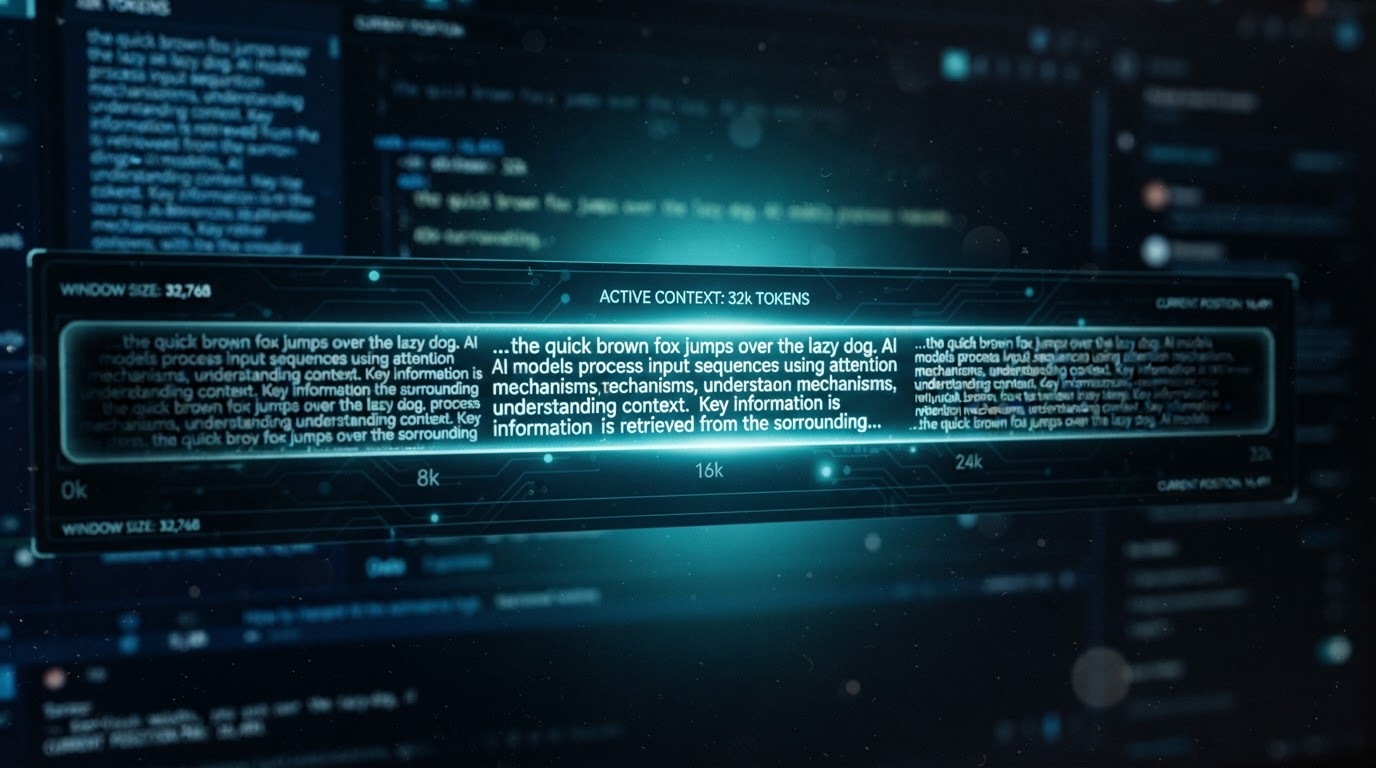
Every AI conversation operates within something called a context window — essentially the amount of text the model can 'see' at once during a session. Think of it as short-term working memory. Everything within that window is available to the model; everything outside it simply doesn't exist from the model's perspective.
Context windows have grown dramatically. Early models worked with a few thousand tokens (roughly a few pages of text). Some current systems handle hundreds of thousands of tokens — enough to hold an entire novel in active context. But even the largest window eventually fills up, and older parts of the conversation get pushed out.
How AI Memory Works Across Different App Types
Session Memory vs. Persistent Memory
Session memory is the simplest form: the AI remembers everything within a single conversation, then forgets it entirely when you close the app. Most basic chatbot implementations work this way. It's cheap, privacy-friendly, and easy to build — but it means every interaction starts cold.
Persistent memory is where things get more interesting, and more complicated. Apps that offer this are typically running a separate system alongside the AI model — a database that stores summaries, preferences, or key facts extracted from your previous conversations. When you start a new session, that stored context gets injected back into the prompt before the model ever sees your first message. The model isn't actually remembering you; it's being briefed about you.
A good real-world example: some AI writing assistants let you set a 'user profile' with your tone preferences, industry, and writing goals. Every time you open a new document, that profile gets silently prepended to the conversation. The AI seems to know you — but it's reading a dossier, not recalling a memory.
Retrieval-Augmented Memory
A more sophisticated approach is retrieval-augmented generation, or RAG. Instead of stuffing everything into the context window upfront, the system searches a database of past interactions and pulls in only the most relevant pieces when needed. It's closer to how humans actually remember things — not replaying every conversation, but surfacing what's relevant to the current moment.
RAG-based memory is why some AI tools seem to get smarter the more you use them. They're not learning in real time — the underlying model stays fixed — but the retrieval system is accumulating more material to draw from. The distinction matters because it means the 'improvement' you notice is in the retrieval layer, not the model itself.
The model isn't getting smarter as you use it — the retrieval system is getting more material to work with. Those are very different things.

Where You Actually See AI Memory in Everyday Apps
Recommendation Engines
Streaming services, shopping platforms, and news apps use a form of AI memory that has nothing to do with language models. These systems track behavioral signals — what you clicked, how long you watched, what you skipped — and build a preference profile over time. The 'memory' here lives in a user embedding: a mathematical representation of your tastes that gets updated continuously.
This is why a streaming service can feel like it knows you better than your friends do after a few months of use. It has logged thousands of micro-decisions you've already forgotten making. The counterintuitive part: these systems often perform worse when you try to game them. Deliberately watching things 'to train' the algorithm tends to introduce noise that degrades recommendations for a while.
Voice Assistants and Smart Home Devices
Voice assistants occupy an awkward middle ground. They maintain some persistent preferences — your default music service, your home address, your preferred units of measurement — but they're notoriously bad at remembering conversational context across sessions. Ask a smart speaker to remind you about something you discussed last Tuesday and you'll quickly discover the limits of the architecture.
The reason is partly technical and partly commercial. Storing full conversation histories at scale is expensive, and there are real privacy implications to keeping detailed logs of everything spoken in someone's home. Most manufacturers have landed on a compromise: remember structured preferences, discard unstructured conversation.
AI Coding and Productivity Tools
This is where memory architecture has advanced fastest. AI coding assistants can now index an entire codebase and maintain awareness of your project's structure, naming conventions, and past decisions throughout a working session. Some tools persist that project context between sessions, so the assistant picks up roughly where it left off. Anyone who has switched between a context-aware coding tool and a basic chatbot for the same task knows immediately how much the memory layer matters.
Persistent project context in a coding assistant isn't a convenience feature — it's the difference between a tool that understands your architecture and one that keeps suggesting the wrong patterns.

Why AI Memory Design Has Real Consequences for You
Privacy Is the Hidden Trade-Off
Every layer of memory an app adds is also a layer of data it's storing about you. Session-only memory is the most private option — nothing persists, nothing can be breached or misused later. Persistent memory and RAG systems require storing conversation summaries or full transcripts somewhere, which introduces questions about who has access, how long it's kept, and what happens if the company is acquired or breached.
This isn't hypothetical. Several AI app companies have faced scrutiny over how long they retain conversation data and whether it's used to train future model versions. Reading the privacy policy for any AI app you use regularly is worth the ten minutes it takes — the memory architecture is usually described, though often in technical language.
Memory Errors Are a Real Problem
AI memory systems can get things wrong in ways that compound over time. If a persistent memory system incorrectly summarizes something you said early in your use of an app, that error can get baked into every future interaction. The model will confidently act on a false premise about you, and you may never know why its responses feel slightly off.
This is one area where human memory and AI memory diverge sharply. Humans naturally update and correct their memories through ongoing experience. Most AI memory systems don't self-correct — they accumulate. A wrong entry stays wrong until someone explicitly fixes it.
(Opinion: The industry has moved fast on making AI memory more capable, but almost nowhere near as fast on giving users meaningful visibility into what's being stored and how to correct it. The 'memory settings' page in most apps is an afterthought, not a feature. That needs to change.)
Frequently Asked Questions
Does an AI chatbot actually learn from my conversations?
In most consumer apps, no — not in real time. The underlying model's weights are fixed after training and don't update based on your individual conversations. What changes is the retrieval or context layer: the app may store summaries of your past chats and feed them back into future sessions, making the AI seem like it's learning. Actual model retraining happens separately, on a schedule, and typically uses aggregated data rather than your specific conversation history.
Why does an AI assistant sometimes 'forget' something I told it earlier in the same conversation?
This usually happens when the conversation exceeds the model's context window. Once the window fills up, the oldest content gets dropped to make room for new input. In a very long session, the AI genuinely cannot see what was said at the beginning — it's not ignoring you, it's working with a sliding window of text. Some apps handle this by automatically summarizing earlier parts of the conversation and keeping that summary in context.
Can I delete what an AI app has remembered about me?
It depends entirely on the app. Some platforms now offer a dedicated memory management interface where you can view and delete stored facts or conversation summaries. Others store data in ways that aren't directly accessible to users. If this matters to you, check the app's privacy settings and support documentation before assuming anything is being cleared when you delete a conversation.
The most unsettling implication of how AI memory works isn't that these systems forget — it's that when they do remember, you often have no idea what they've retained, how accurately it represents you, or who else can read it. The intelligence feels personal. The infrastructure behind it rarely is.



Comments
Post a Comment