Beyond New Features: How Software Updates Keep Your Devices Safe
A single unpatched vulnerability in a widely used software library was responsible for one of the largest data breaches in recent memory — exposing the personal records of roughly 147 million people. The company had a patch available. They just hadn't applied it. Software updates are not about new icons or redesigned menus. At their core, they are a continuous, often invisible war between the people who build software and the people who try to break it.

What a Software Update Actually Is — Beyond the Changelog
More Than a List of Bug Fixes
When your phone or computer prompts you to update, the notification usually mentions 'performance improvements' and 'bug fixes.' That language is deliberately vague. What it often means is: 'We found a hole in our code that someone could use to access your data, and we've sealed it.' The changelog you see is the sanitized version of a much more urgent internal conversation.
Software is written by humans, which means it contains mistakes. Some mistakes cause crashes. Others create what security researchers call vulnerabilities — unintended pathways into a system that an attacker can exploit. A patch is simply a piece of code that closes one of those pathways. The update mechanism is how that patch gets from the developer's server to your device.
There are also updates that have nothing to do with security at all: new features, interface tweaks, compatibility fixes for newer hardware. But even those can introduce new vulnerabilities, which is why the cycle never really ends.

How Security Vulnerabilities Are Found — and Exploited
The Discovery Pipeline
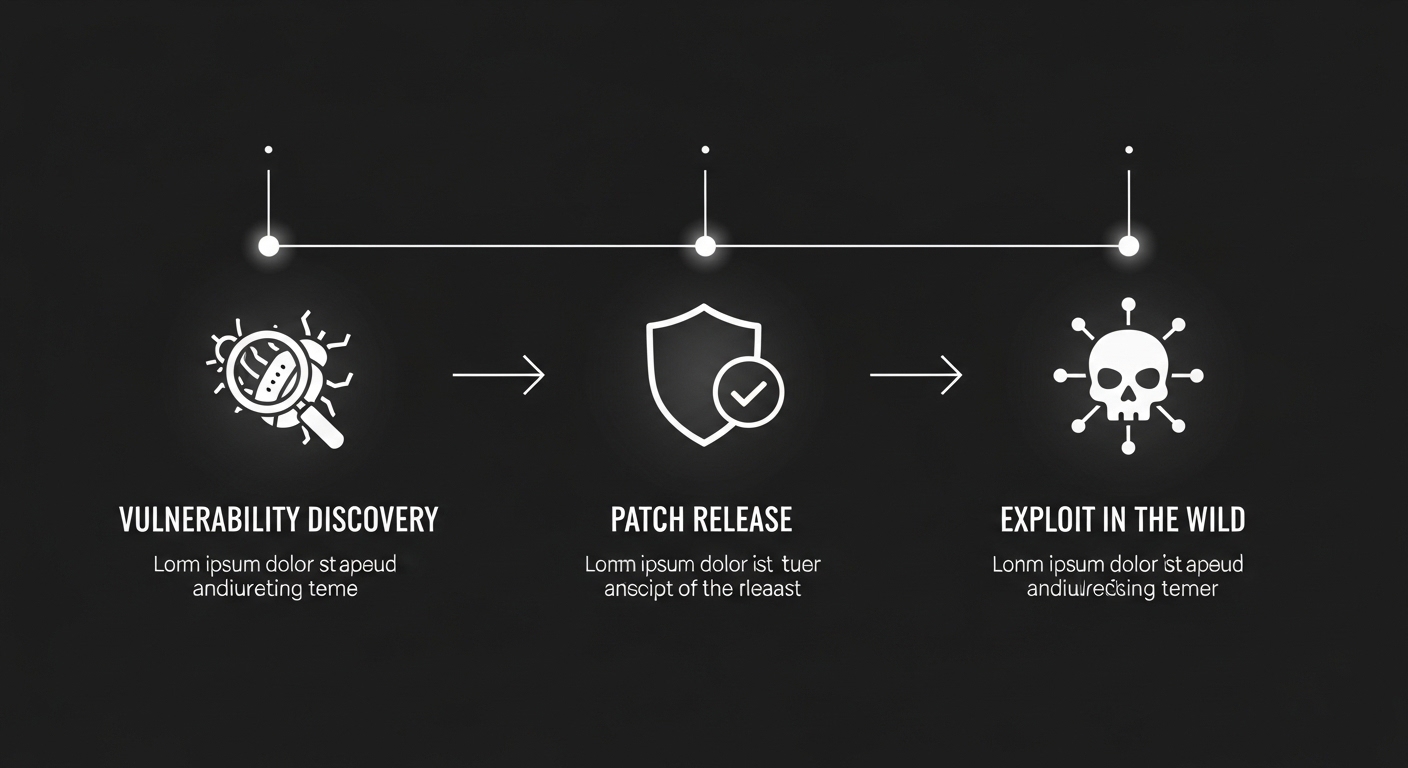
Vulnerabilities get discovered in a few different ways. Security researchers — some employed by software companies, some independent, some working through formal 'bug bounty' programs — spend their days probing software for weaknesses. When they find one, responsible disclosure means they notify the developer privately and give them time to build a fix before going public.
The counterintuitive part: attackers often find the same vulnerabilities independently. The race between a developer releasing a patch and an attacker weaponizing a flaw is sometimes measured in hours. Security researchers have documented cases where exploit code appeared in the wild within a day of a vulnerability being publicly disclosed.
The moment a patch is released, it also functions as a public announcement that a vulnerability exists — which is exactly why unpatched systems become targets almost immediately.
Zero-Days: The Worst Case
A 'zero-day' vulnerability is one that the software vendor doesn't know about yet — meaning there are zero days of warning and zero patches available. These are the most dangerous kind. They're also valuable enough that a market exists for them, with some fetching significant sums from governments and private buyers. Most users will never be targeted by a zero-day attack, but the existence of that market is a reminder that software flaws have real monetary value to the wrong people.
How the Patch Process Actually Works Under the Hood
From Bug Report to Your Device
When a vulnerability is confirmed, a development team isolates the affected code, writes a fix, and then runs it through testing — because a poorly written patch can introduce new bugs or, in rare cases, new vulnerabilities. This testing phase is where speed and caution collide. Push too fast and you ship a broken update. Wait too long and attackers exploit the known flaw.
Once the patch clears testing, it gets bundled into an update package, signed with a cryptographic certificate (so your device can verify it's legitimate and hasn't been tampered with), and pushed to distribution servers. Your device checks in periodically, sees a newer version is available, downloads it, verifies the signature, and installs it. The whole chain depends on that cryptographic signing step — without it, an attacker could theoretically serve you a fake update containing malware.
Why Some Updates Require a Restart
Files that are actively in use by the operating system can't be replaced while the system is running. The restart isn't arbitrary — it's the moment the old files get swapped out for the new ones. This is why kernel-level security patches almost always require a reboot, while a browser update might not. Anyone who has clicked 'remind me later' on a restart prompt for three weeks has, in effect, been running with a known security hole for three weeks.
Delaying a restart after a security patch is installed is not the same as delaying the update — the vulnerable code is still running until the system actually reboots.

Why Older Devices and Unsupported Software Are a Real Risk
End of Support Means End of Protection
Every piece of software has a support window — a period during which the developer commits to releasing patches. When that window closes, new vulnerabilities discovered after that date will never be fixed. The software doesn't become less functional overnight, but it does become progressively less safe. Running an operating system past its end-of-support date is like locking your front door but leaving the back window permanently open.
A well-documented real-world example: the WannaCry ransomware attack in 2017 spread rapidly through organizations still running Windows XP, which Microsoft had stopped supporting years earlier. A patch for the underlying vulnerability existed for supported Windows versions — but XP users had no patch to apply. Hospitals, telecoms, and government agencies in multiple countries were affected.
The Hardware Problem
Smartphones add another layer of complexity. Even if the operating system vendor releases a security update, it often has to pass through the device manufacturer and sometimes the mobile carrier before it reaches your phone. That chain can add weeks or months of delay — or the manufacturer may simply decide older models won't receive the update at all. This is one reason security-conscious users tend to pay attention to a manufacturer's stated update commitment before buying a device, not after.
(Opinion: The practice of cutting off security updates on devices that are otherwise fully functional — sometimes after just two or three years — is one of the more quietly harmful habits in consumer electronics. It creates unnecessary electronic waste and leaves real people exposed through no fault of their own.)
Simple Habits That Actually Improve Your Security Posture
Automate What You Can
The single most effective thing most people can do is enable automatic updates on every device and application they use. Not because every update is perfect, but because the risk of running unpatched software almost always outweighs the small risk of a flawed update. Major operating systems — Windows, macOS, iOS, Android — all support automatic updates, and for most users, turning them on and leaving them on is the right call.
Third-party applications are often the weak link. People remember to update their phone's operating system but forget about the PDF reader, the media player, or the browser extension they installed two years ago. Attackers know this. Browsers are a particularly high-value target because they run code from arbitrary websites constantly — keeping yours updated is non-negotiable.
Don't Ignore Firmware
Routers, smart TVs, printers, and other networked devices also run software — called firmware — that needs updating. These devices are frequently overlooked because they don't have obvious update prompts. A compromised router is particularly dangerous because it sits between every device on your network and the internet. Checking the admin interface of your router once or twice a year for firmware updates is a small habit with disproportionate security value.

Frequently Asked Questions
Is it safe to install updates immediately, or should I wait?
For security patches, installing promptly is generally the right move — the risk of leaving a known vulnerability unpatched outweighs the small chance of a buggy update. For major version upgrades (like a new operating system release), waiting a week or two for early adopters to surface serious bugs is a reasonable precaution. Security-only patches don't usually need that buffer.
Can a software update itself be used to deliver malware?
Yes, and this has happened in documented cases. Attackers have compromised software vendors' update infrastructure to push malicious updates to legitimate users — a technique called a 'supply chain attack.' The SolarWinds incident is a well-documented example. Reputable software uses cryptographic code signing to make this harder, but it's not impossible. This is one reason to stick to official update channels and be skeptical of update prompts that appear in unexpected places, like a pop-up on a website.
Does updating software slow down older devices?
Sometimes, but less often than people assume. Some updates do add features that require more processing power, and older hardware can struggle. However, skipping updates to preserve speed is a trade-off that leaves the device exposed. A better approach is to check whether the device is still within its supported hardware range before updating, and consider whether it's time to replace rather than maintain a device that's genuinely too old to run current software safely.
The uncomfortable reality is that software security is not a problem you solve once. Every new feature added to an application is new code, and new code means new potential vulnerabilities. The update cycle is not a sign that software is broken — it's the mechanism by which software stays functional in a world where the threats against it are also constantly evolving. The devices sitting quietly on your desk or in your pocket are participants in that process whether you're paying attention or not.


Comments
Post a Comment